Multi-select, a faster launch, and Meeting Notes on mobile
1.56.0
Superlist 1.56 brings powerful bulk actions, a quicker app launch, and Meeting Notes right on your phone.
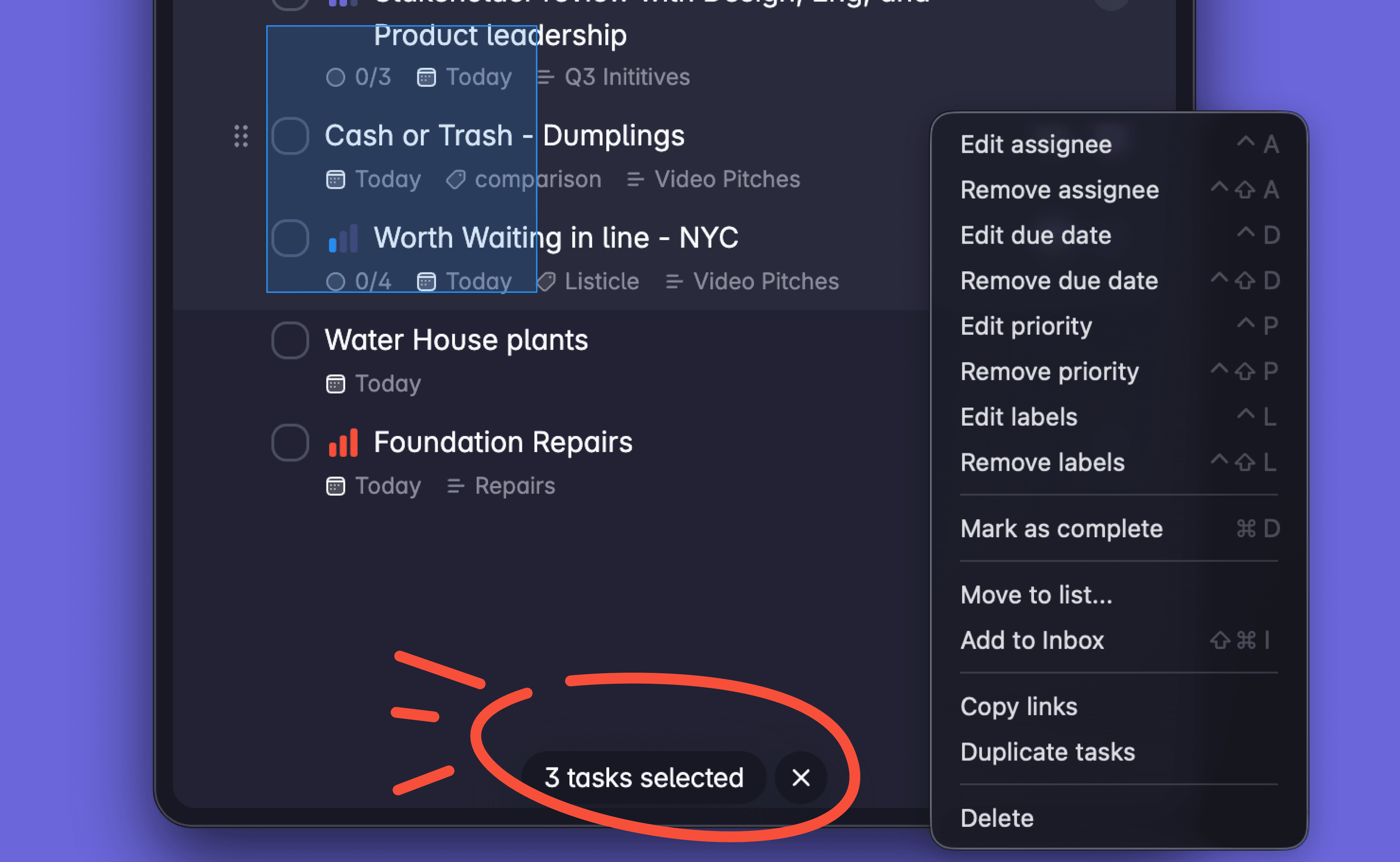
Select multiple at once You can now select several items in a document at the same time and act on them in one go. On desktop and web, click and use Shift or Cmd/Ctrl to build a selection (or use keyboard shortcuts); on mobile, long-press to start selecting. With a selection you can move tasks to another list, add to or remove from your Inbox, duplicate, copy as text or Markdown, copy a link, and delete — plus download or replace all selected images in one step.
Faster, smoother start Superlist now opens noticeably quicker. The app no longer waits on background work before showing your lists, heavy tasks have been moved off the startup path, and it's more resilient — recovering gracefully if local data ever gets into a bad state.
Meeting Notes on mobile Record and capture your in-person meetings right from your phone with Meeting Notes, now on iOS and Android.
Plus a handful of smaller bug fixes and improvements to keep things running smoothly.