Repeating tasks: Set, repeat, go
Repeating tasks: Set, repeat, go
Repeating tasks: Set, repeat, go
0.22.0
Features and improvements
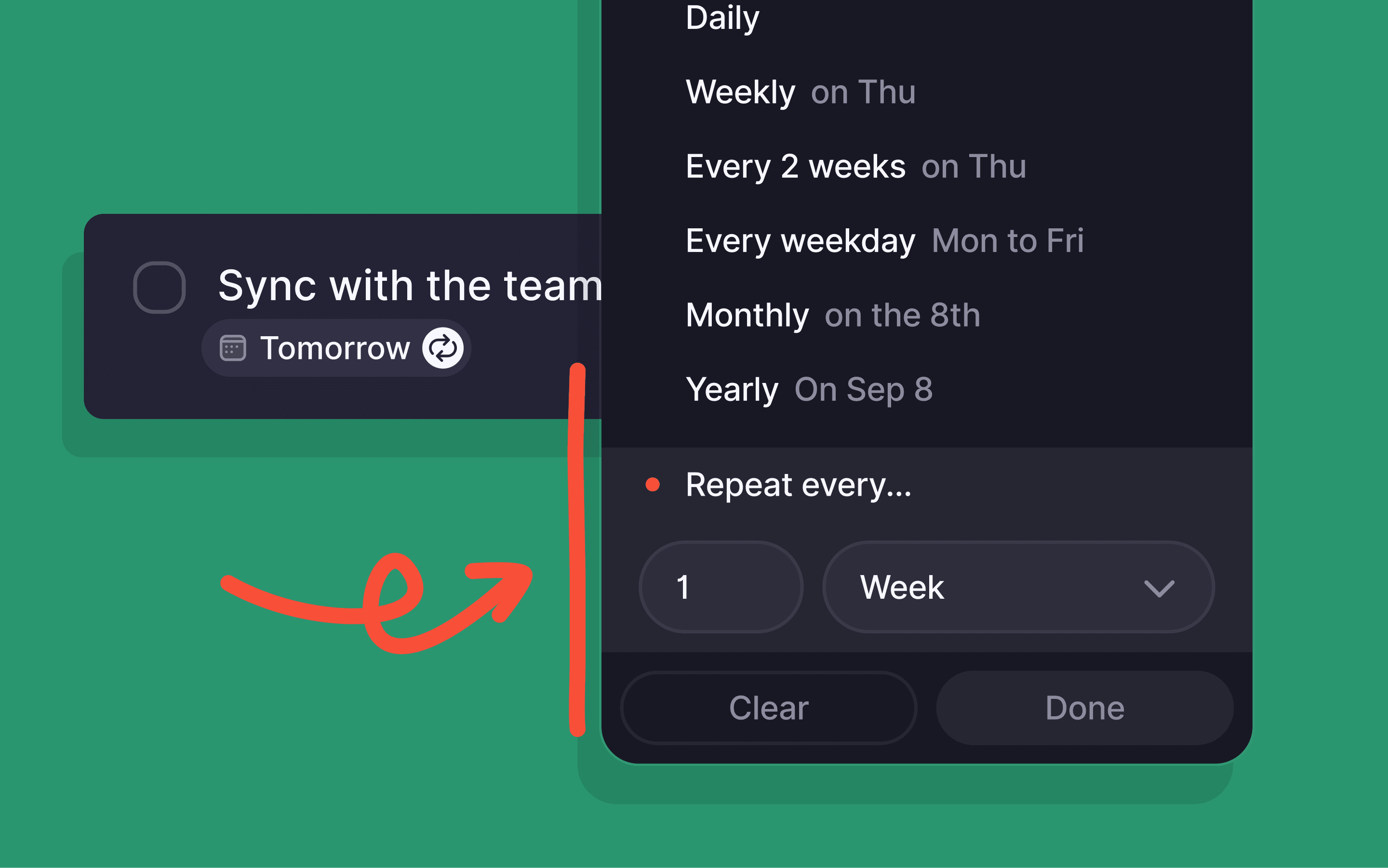
Set your tasks to repeat every 3 days, 6 weeks, or 9 months...
Forward emails from any email account and turn them into tasks. [Connect any email address to the email forwarding system via settings.]
Tasks created from forwarded emails now come with attachments.
Experience improved summarization in your forwarded or starred emails.
Hitting backspace from the first row in a list takes you straight to the title.
Make the most of the Today view, now enhanced with a tutorial banner. [This tutorial banner links to a page on our Knowledge Base with all the deets on how to make the most out of this view.]
Desktop
Edit tasks like a wiz with new shortcuts for labels and due dates. [Use shortcuts to add a task to the Inbox, set the due date to today, remove due date, remove assignees, or remove labels. You can find a list of all shortcuts here]
Our MacOS app is now optimized for both Apple and Intel chipsets.
Mobile
Create tasks directly from any website or text by sharing it from your phone.
Bug fixes
No more error messages when adding tasks to lengthy lists.
Tasks appear in the right sort section, be it today, yesterday, or tomorrow.
Desktop
Gently squashed a bug 🐛 with description texts in the repeating tasks menu.